
Smaller videos and photos on your PC
Available for Windows
CompressKit for Windows
Make videos and photos smaller. Nothing uploads.
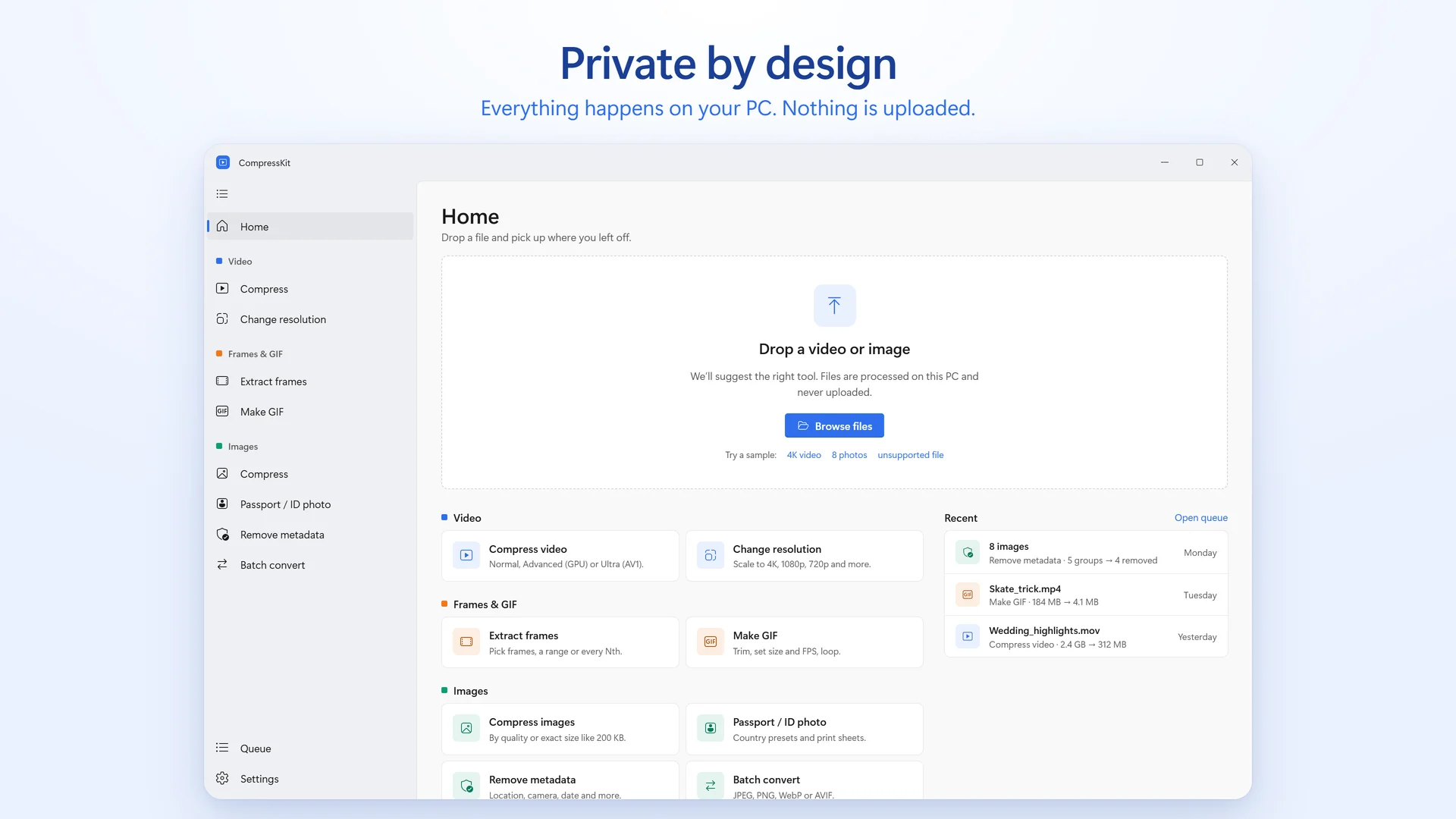
Compress videos and photos on your PC, to a target size or a quality level. Change resolution, extract frames, make GIFs, convert images, make passport photos and strip metadata in one app, with no account, and your files never leave your computer.
- Normal, Advanced (GPU) and Ultra (AV1) compression
- Target an exact file size or a quality level
- Frames, GIFs, passport photos and metadata removal
- On-device only, with no account or uploads
Inside the app
See how CompressKit works
Scroll to explore
Everything CompressKit does
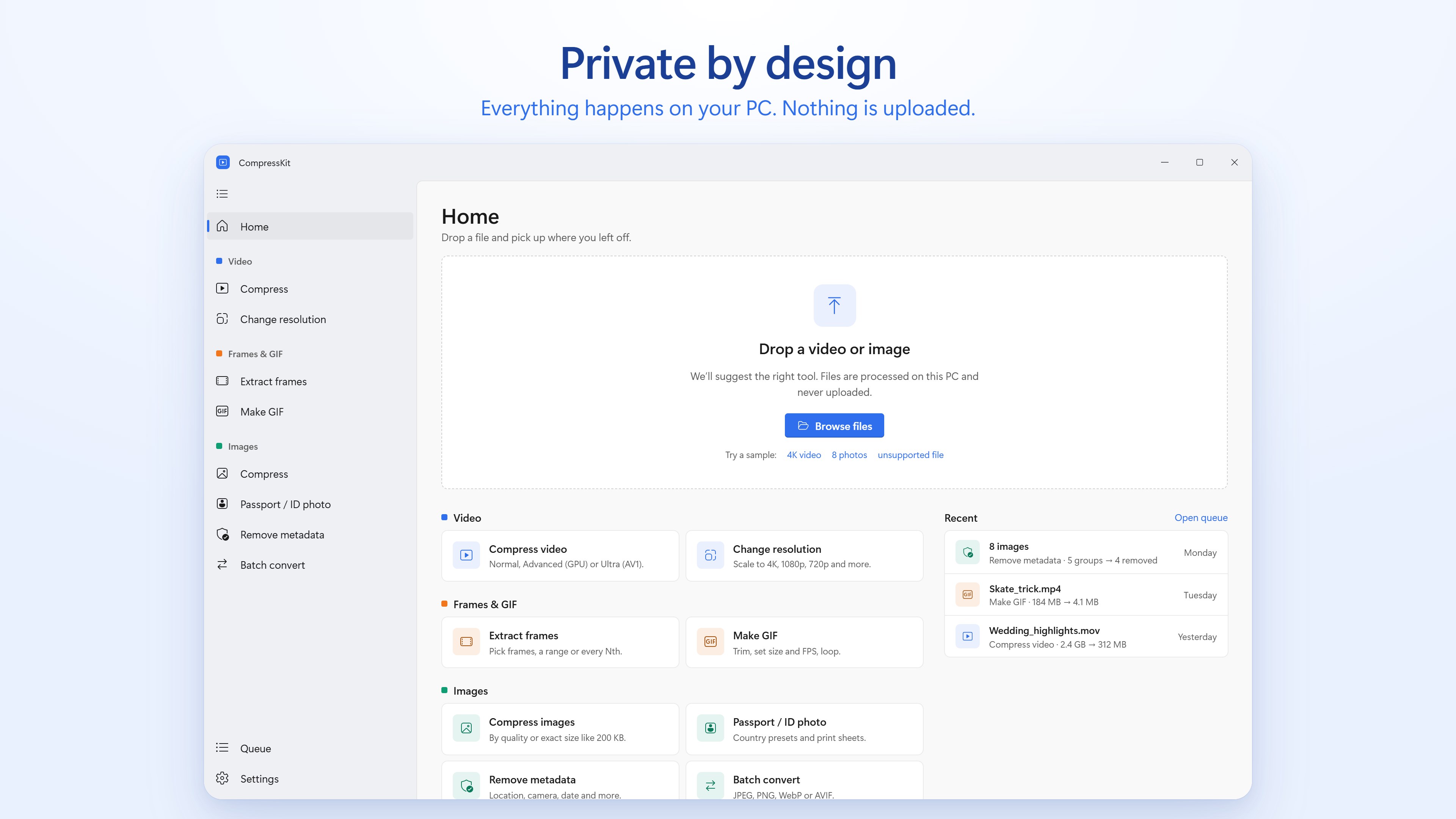
- Compress videos with Normal, Advanced (H.264 or HEVC, on your graphics card when there is one) or Ultra (AV1, the smallest files, and it can keep HDR).
- Change a video's resolution, from 4K down to 480p, keeping its aspect ratio.
- Compress a whole batch of videos at once with Compress all.
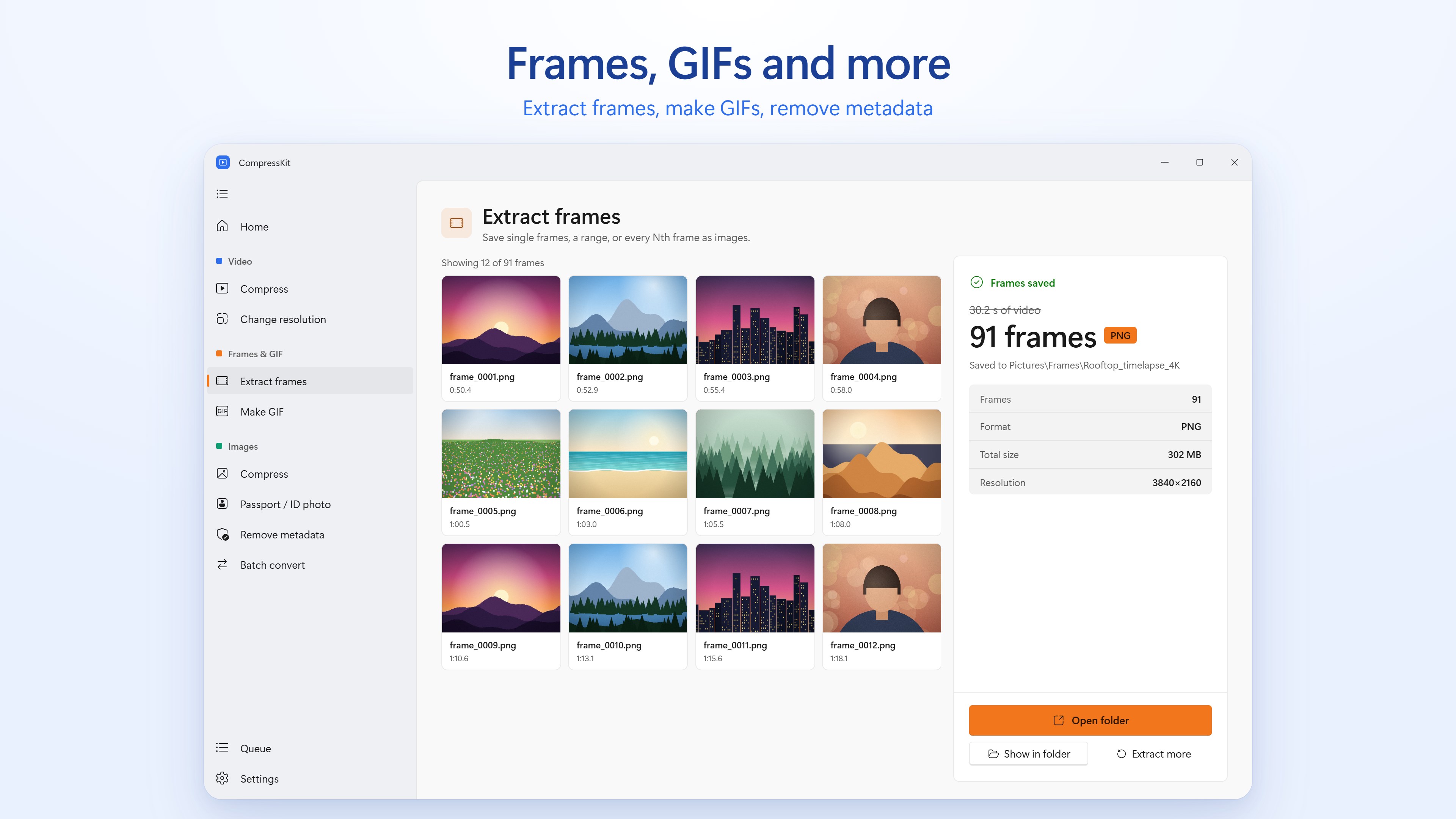
- Extract a single frame, a range, or every Nth frame as PNG, JPEG or WebP.
- Make GIFs: trim, resize, set the frame rate, loop, and add a boomerang effect.
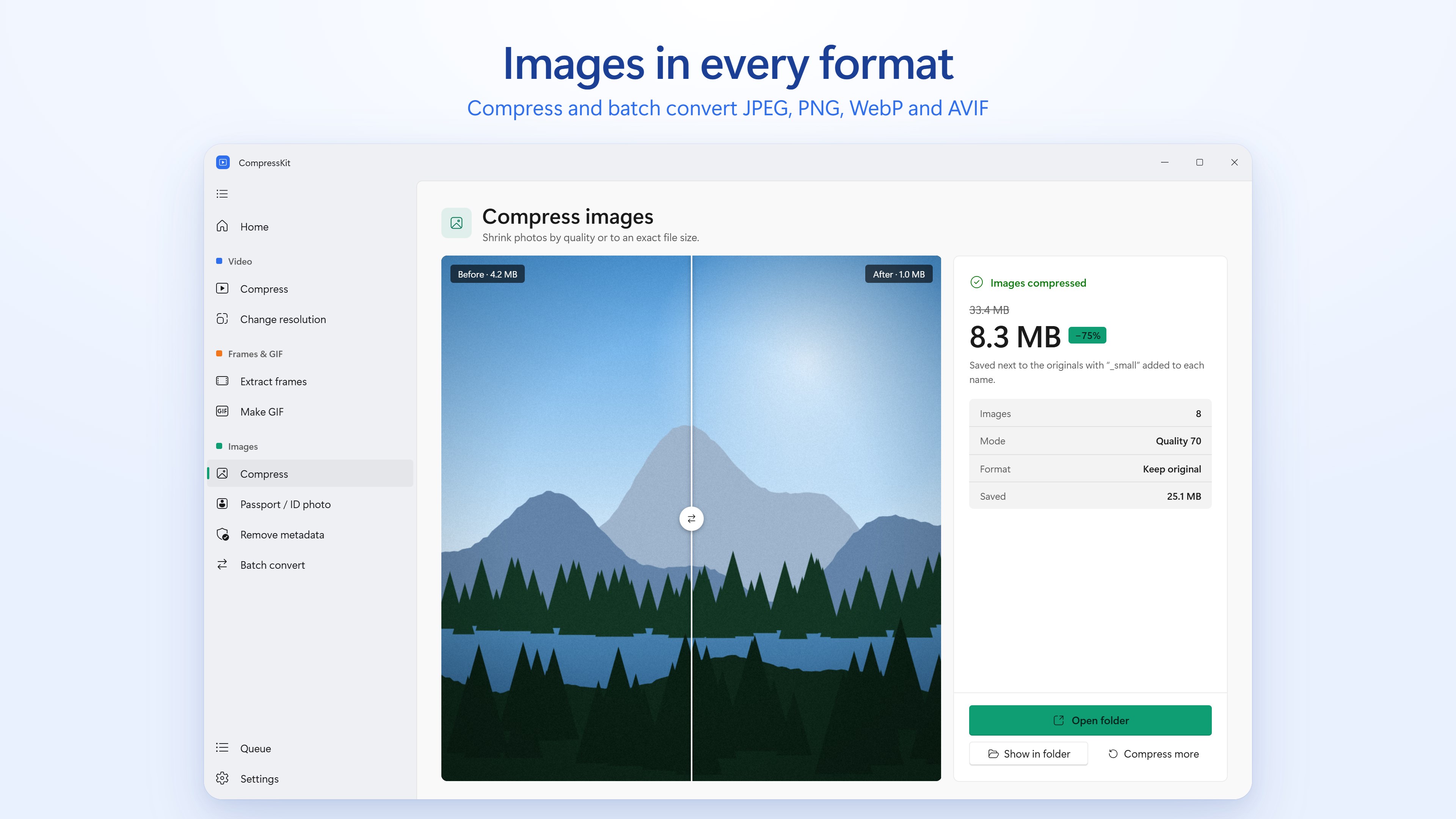
- Compress photos by quality or to a target file size, one at a time or in batches.
- Batch convert images between JPEG, PNG, WebP and AVIF.
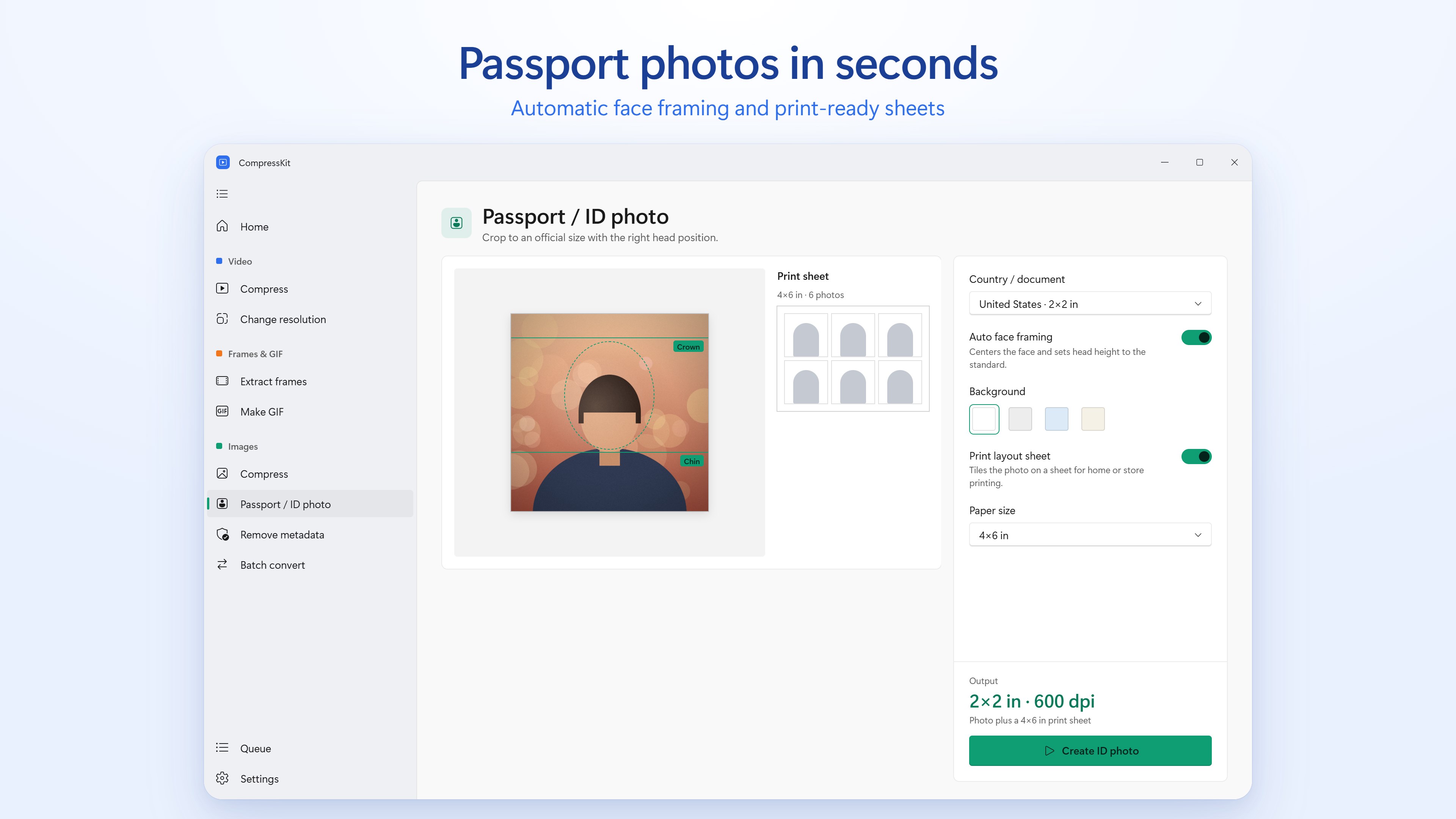
- Make passport and ID photos with country size presets, automatic face framing and 300 DPI print sheets.
- Remove location (GPS), camera details (EXIF), XMP and comments without re-compressing the image.
Private, on-device compression
Everything happens on your PC. Nothing is uploaded, there is no account to create, and your files never leave your computer. Jobs run in a queue you can reorder, cancel and retry, keep going from the system tray when you close the window, and you get a notification when each one is done.
CompressKit FAQ
How much does CompressKit cost?
CompressKit is a one-time purchase from the Microsoft Store ($13.99 in the US; prices vary by region). There is no subscription.
Does CompressKit upload my files?
No. Videos and photos are compressed on your PC and never uploaded. There is no account or sign-in.
Which files does it support?
MP4, MOV, MKV, WebM, AVI, M4V and WMV videos, and JPEG, PNG, HEIC, WebP and AVIF images.
Which PCs does it run on?
Windows PCs with x64 or ARM processors. Ultra (AV1) compression needs 8 GB of RAM or more.
Is there an Android version?
Yes. On Android it is called Compress Video, and it is free on Google Play.